




v1.5pCurrent Marketplace build · available now
Session levels, drawing templates, and a symbol-aware journal
Here's what changed in 1.5p. Download the update through your Bookmap Portal. What's New in 1.5 shows once inside ADT after you update from an earlier Marketplace version.
New features
- Opening range and IB levels mark the high and low of the first 5, 10 and 15 minutes after the open, and of the first 30 and 60 minutes, with an IB Mid line. Add window adds a range of any length you choose. A tag with ? is still forming.
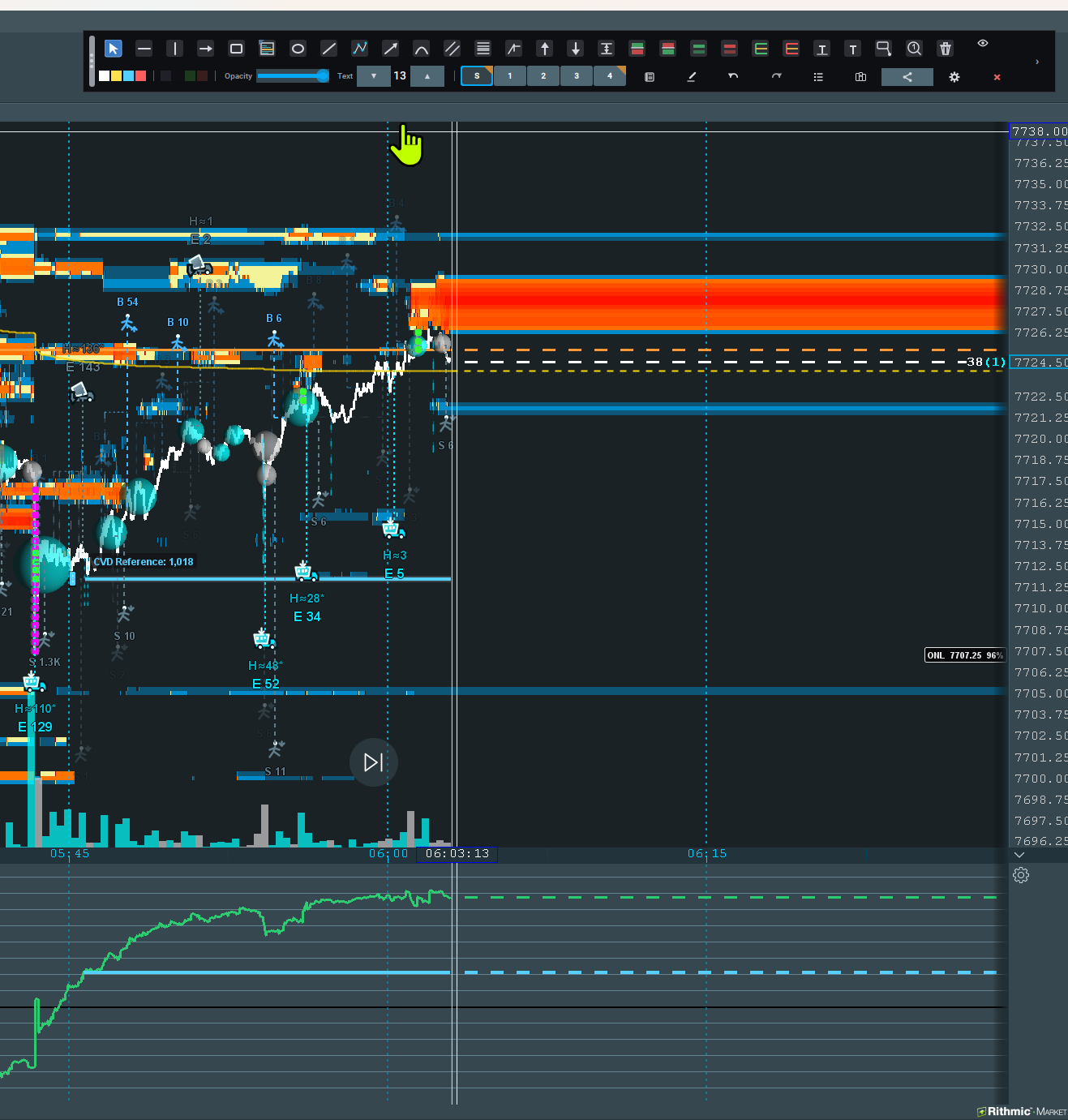
- ONH and ONL follow the current Globex session, and Show ONM adds the midpoint. The ? stays until the cash open. If the data has a gap, type the prices under Set by hand for this session.
- The levels are set per symbol in Settings > Scheduled. When the chart's data does not cover a level's window, the level draws faint with "partial data" under its name, and a gray note at the top left of the chart says what is missing. Levels update when more history loads.
- Notes, Text labels, Comments and Numbered callouts have templates. Right-click one of these drawings for Apply, Save template, Save as new template, New template and Manage templates. When the drawing already came from a template, Apply reads Swap to.
- Right-click the Note, Text label, Comment or Numbered callout tool and pick a template; your next chart click places it. A callout template lays out the whole numbered checklist, and one Undo removes it. The box that opens when you place a Note, Text label or Comment has a Template list.
- The template editor shows a live preview of the drawing as it will look on the chart. On a legend box's right-click menu, Save legend as callout template saves a numbered checklist to use another day.
- Each new Quick Note in the Daily Journal shows the symbol it was saved on, for example [19:57:42 ES @ 7749.75]. The filter beside Quick Notes shows All symbols or only the active symbol's notes, and Copy day copies what it shows. Notes from before 1.5p show under All symbols.
- Each row in the Objects tab has an eye button that hides or shows that one drawing; on a legend row it hides the legend and its callouts. Hidden drawings stay hidden after a restart, and Show all hidden brings them back.
- The Fibonacci editor has Label background, on or off, and Label background color. Level labels whose color is hard to read on the background draw in dark or white text.
- Arrow lines, comment leaders and numbered callouts with an arrow tail have an Arrowhead size choice beside Arrowhead style. Auto follows the line width as before.
Workflow improvements
- Legend Manager is now the Legends and Templates window, with tabs for Chart Legends and for Callout, Note, Text and Comment templates. Drag a template up or down to change its order.
- A legend's numbered callouts fold under one row in the Objects window. Click a legend box and press Delete to remove the legend and all its callouts after one question; one Undo restores them. Drag the legend box's right edge to set how wide it may grow.
- With the Numbered callout tool's tail set to None, one click places the callout.
- The consolidation bracket editor and right-click menu have Show HVN line.
- Untick Show drawing hints on the chart (Drawing tab, Placement hints) to hide the short hint beside an armed tool.
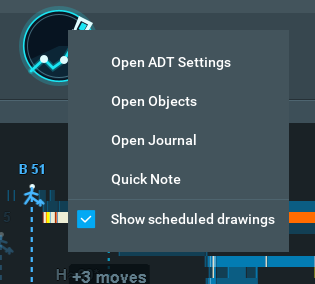
- Right-click the palette or its restore icon for Open Scheduled Drawings, Show scheduled drawings and Refresh all scheduled drawings.
- The onboarding tour has a new lesson, R.V.P. and ADT CVD. Settings > About > Explore controls adds three walkthroughs: Drawing templates, Alarms, and Opening range and overnight levels.
Performance
- Opening range, IB and overnight levels stop rechecking a session once its values are final, and a burst of level changes redraws the chart once.
- A trend line, channel or Fibonacci extended right, and a polyline that runs far off screen, no longer make the chart redraw every drawing as live data or Replay moves.
- Drawings far off screen are not drawn until the chart comes near them.
- Attaching ADT no longer makes Bookmap's data thread wait for ADT's windows.
Fixes
- R.V.P. delta counted aggressive buys as selling, so delta bars showed the wrong sign and color. It now counts them as buying, the same way ADT CVD and Bookmap do. Volume, mPOC and value area do not change. If you swapped the Buyers and Sellers colors to work around this, they now show reversed until you swap them back.
- Turning on Auto high/low for selected time range on an existing R.V.P. recalculates it at once, without a chart reload. Switching mPOC style to Migration path shows the path without a reload.
- Dragging a Measure or R.V.P. edge or corner past the opposite edge keeps the opposite edge where it was.
- At the daily reset, the ADT CVD line starts the new session once instead of blanking and redrawing many times. A CVD day boundary set inside a daylight saving change hour now works, and scrolling back in Replay no longer makes the ADT CVD pane reset and reload.
- Trend line, channel and ray alarms check the line at the Replay time in Replay. With two contracts of one symbol open, each alarm checks its own contract's prices. Moving a channel or changing its alarm re-arms both lines.
- H-Line, Ray, consolidation bracket and Fibonacci tags and labels set to Far right stay on the chart, including with Project past live edge on.
- A Fibonacci drawn right to left shows its levels in the correct order.
- A duplicated Long or Short position shows its own risk, reward and R:R, and a duplicated consolidation bracket keeps its HVN line in place.
- With Vector lines on, a line drawn on one symbol no longer draws on another symbol's chart, for example an ES line on an MES chart.
- A journal note shows its price with the tick decimals of the chart it came from.
- A typed Undo history depth applies when you press Enter or leave the field, and a lower depth asks before removing changes.
- Numbered callouts and legend boxes can be dragged repeatedly, and adding a callout no longer squeezes the legend box.
- A scheduled horizontal line or ray added after its start time is drawn from earlier trades when available, and its caption stays visible when the anchor scrolls off the left.
- Set as default on a numbered callout no longer recolors callouts already on the chart, and on a consolidation bracket it keeps the band color.
- Adopting shared drawings while Tint shared is on keeps the sender's own colors, not the tint, and shares and rooms carry a callout's, comment's or note's fill color.
- Holding Shift while drawing an Ellipse shows the circle in the preview, and turning ADT off while a room is open no longer causes a Bookmap error report.
- A polyline much wider or taller than the chart, for example when zoomed in far, stays on its points instead of stretching past them.
Behavior changes
- Opening range, IB and overnight levels start off, on a new install and after an update. Turn them on in Settings > Scheduled with Show opening range and IB levels and Show ONH and ONL; each works on its own.
- Overnight lines stay on the chart until 17:00 ET, the CME daily close. Opening range and IB lines end at your Lines end at time.
- Drawings no longer show a small blue routing flag on the chart. A routed tool keeps its mark on the palette, and Move to layer on a drawing's right-click menu changes its layer.
- Long and Short positions and the Measure tool show a dollar figure only for symbols in ADT's list, or after you type a $ per point on the Drawing tab. Earlier versions used $50 per point for unlisted symbols. The list now includes copper, platinum, palladium, heating oil, RBOB, E-mini crude and natural gas, the 5-year and 2-year notes, and the major currency futures. Ticks, points and R:R always show.
- Scheduled horizontal and vertical lines are per symbol. Your existing lines stay shared by every symbol until you change something for one symbol, which gives it its own copy.
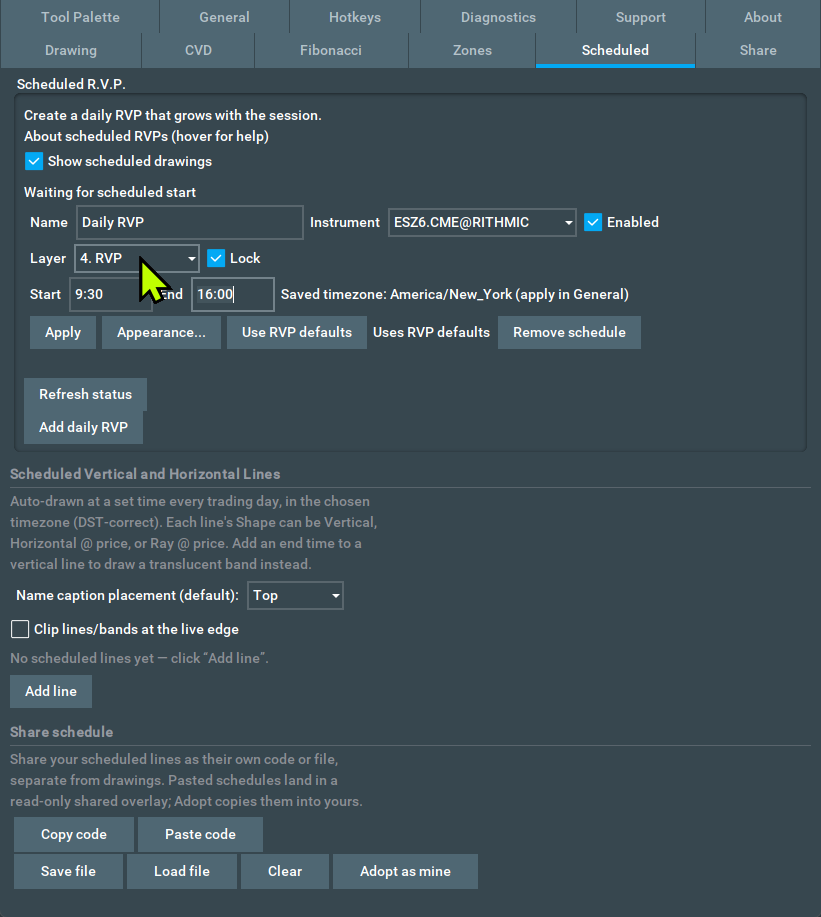
- Scheduled R.V.P. shows the schedules of the symbol picked at the top of the Scheduled tab, and Add daily RVP creates the schedule for that symbol. Your saved schedules are unchanged.
- When ADT stays running for days, it keeps the last 36 hours of trades for its levels and CVD; older CVD history is read from Bookmap's stored data.